


Unlock files to be able to eliminate or move them
We're sure it has happened to you: you have tried to eliminate a file and the system tells you it isn't possible because the file is in use. If you want to modify, move or eliminate blocked files you can use a free tool: IObit Unlocker. It's very easy to use, and the most important part, it's extremely efficient.
Locked files
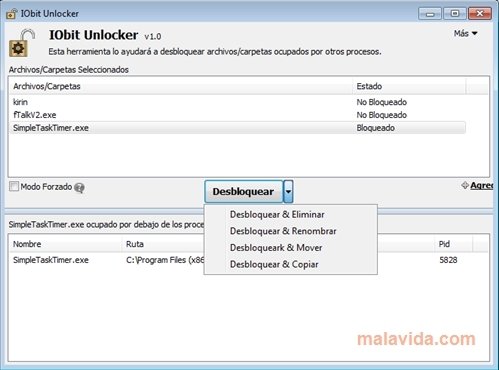
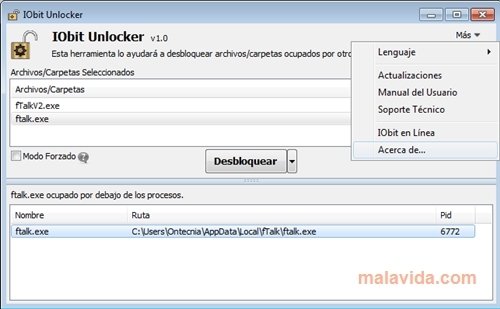
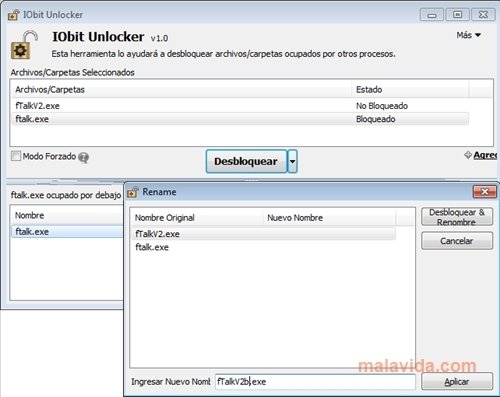
Sometimes the operating system blocks specific files that are being used by other processes, and it doesn't allow us to move or eliminate them. Usually, ending the process or application that's using the file will allow you to eliminate the file, but the problem can arise if you don't know what process is blocking the file. With IObit Unlocker it's very simple: drag the blocked file to the application and it will show whether it's blocked or not. It will also offer us the option to unlock the file, and furthermore, move, eliminate, rename or copy it.
The solution for the problem of files blocked by Windows.
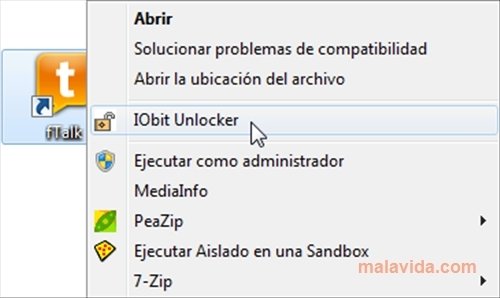
IObit Unlocker also has another way to unlock files: right click on the file and choose the IObit Unlocker option from the context menu. After that you'll only have to click on the unlock button, as easy as that!
Download IObit Unlocker and make any locked file accessible.
 Leticia Sorivella
My name is Leticia. I really like movies, television, and music. That is why I studied Audiovisual Communication. In the beginning, I wanted to work in movies, but I ended up on television. Then, I went from being behind the cameras to being in...

Antony Peel